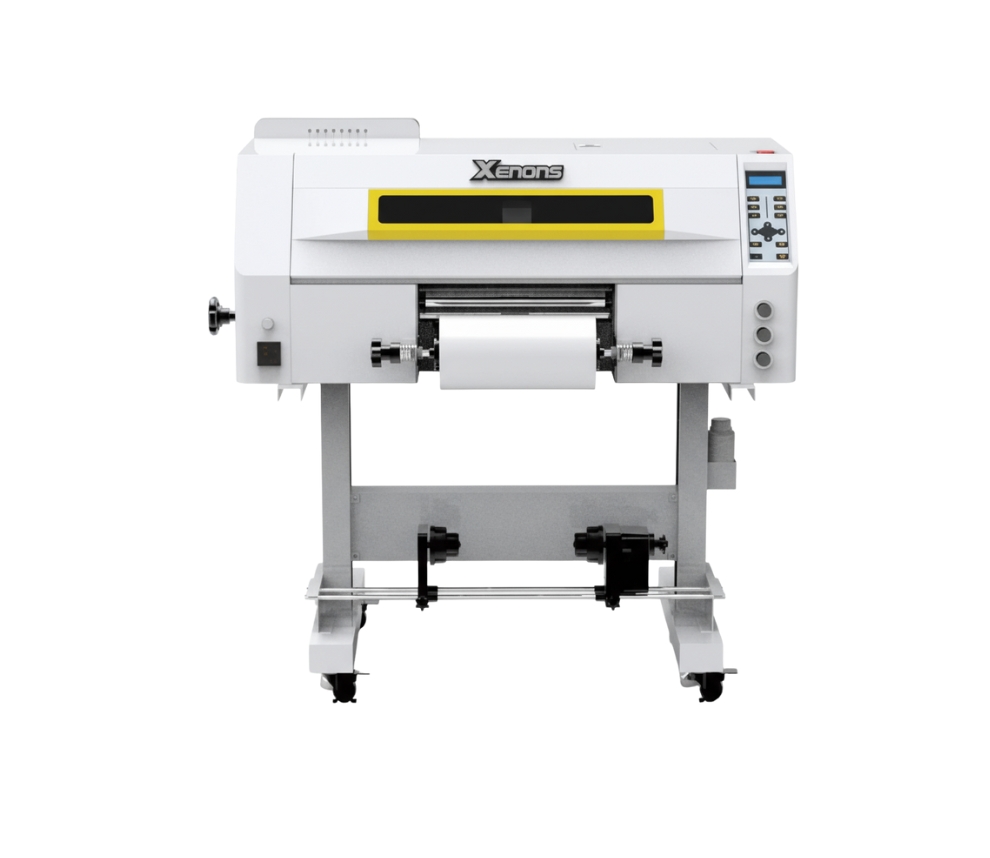
3 cabezales Epson I1600
DTF UV (30cm)
Descripción
Description
Maximum print width: 620 mm
Maximum speed: 10 m²/h
Compatible media: Film A (with adhesive) + B / Film A (without adhesive) + B
Number of printheads: 3 Epson I1600
Compatibility: Maintop, Photoprint, and others
Textile/Rigid Compatibility
Acrylic
PVC/Forex
Polycarbonate
MDF and varnished wood
Aluminum/Painted sheet metal
Glass (clean and degreased)
Rigid cardboard/Foam board
PS/PET/Rigid plastics in general
Maintenance
- Daily power-on and circulation Even if you don't print, turn it on every day so the UV ink circulates and to prevent it from hardening inside the printhead.
- Cleaning of the wiper, cap station, and surrounding areas Do this daily. UV ink is thicker and forms crusts quickly, which clogs the nozzles.
- Avoid direct light on the ink UV inks cure with light. Keep cartridges and the plotter area away from direct sunlight or external UV lights.
- Nozzle test 1–2 times per day UV ink tends to dry faster. This detects any clogs before they affect a job.
- Manual cleaning of the printhead (only when necessary) Do it with UV cleaning solution and a lint-free cloth. Never use alcohol.
- Adequate ventilation of the work area UV inks emit vapors. A ventilated environment improves equipment lifespan and operator health.
Related Products
-
3 cabezales Epson I3200Maintenance
- Daily Cleaning of the Printhead Resting System Clean the wiper, cap station, and printhead rim every day. UV ink forms crusts that can clog nozzles if not removed promptly. Chiller (Water Cooler) Check
- X/Y/Z Axis Lubrication Apply appropriate lubricant every 1–2 weeks. Clean axes prevent vibrations and lines in the print.
- Avoid Ambient UV Light UV inks cure with light. Avoid exposing the print bed or cartridges to direct sunlight or external UV light.
- Flatbed Cleaning Keep the surface free of dust, adhesives, or material residue. Any residue can affect printhead height or damage the nozzle.
Ensure the chiller is functioning correctly.
✔️ Stable temperature (ideally 20–24°C)
✔️ Clean water and correct level
✔️ Change water every 30–45 days
Improper cooling can damage the printhead in minutes.
Vacuum System Check The vacuum should properly hold rigid parts. If suction is low, check the filters, hoses, and air intake.Max width: 600mmSpeed: 16 m2/hMedia: Glass, Acrylic, Tile / Ceramic Tile, Aluminum, iPhone Cases, Plastic, Foam Board, Wallpaper, Wall Art, Advertising Signage, Metal, Paper, Wood, MDF, Furniture, Cards, Marble, Golf Products, Gift and Promotional Items, Leather, PU, PMMA, PVC, PP, PE, PTFE, Plexiglass, Panels, Ceilings, Cardboard, Corrugated Cardboard, Chevron Panel, Fiberboard, Brick, Stone, Home Décor, Appliance Panels, Ceramic and Porcelain Tile, 3C Products, Oil Painting, Fresco, Sliding Doors, Photos, Marking and Signage, Exhibition / Trade Show Stands, etc.Request a quote -
6 cabezales Epson I3200
- High Speed 6-printhead design; maximum achievable speed is 32 m²/h.
- White-Ink Circulation System Prevents white-ink clogging and ensures more stable printing.
- Robust Body Japanese steel guide rail; integrated high-strength stand.
- Built-in Air Purifier Powder agitator with fume-purification function, electronic cleaner, and oil-fume separation.
- Intelligent Printhead Plate Heating The head heats automatically according to temperature to achieve uniform printing.
- Smart Touchscreen Easier operation thanks to the touch control panel.
Compatibility: Standard PhotoPrint and others.
Maintenance- Dust-Free Environment Keep the work environment dust-free to prevent it from affecting printing.
- Temperature and Humidity The machine should operate at a temperature of **25-30°C** and with a humidity of **40-60%**.
- Platform Cleaning Keep the entire printer tidy and clean, removing dust from friction areas.
- Cleaning the Underside of the Printhead Move the carriage to the cleaning position, clean the underside of the printhead with a **non-woven cloth dampened with cleaning fluid or distilled water**, removing dirt from the printhead and surrounding areas.
Max width: 600mmSpeed: 36 m2/hMedia: Pet film 600Request a quote -
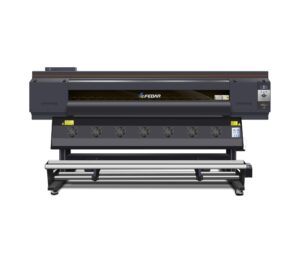
3 cabezales Epson I3200Maintenance
- Daily Power On and Circulation Even if you're not printing, turn it on every day to circulate the UV ink and prevent it from hardening inside the printhead.
- Cleaning the Wiper, Cap Station, and Surrounding Area Do this daily. UV ink is thicker and crusts up quickly, clogging the nozzles.
- Avoid Direct Light on the Ink UV inks are cured by light. Keep the cartridges and the plotter area away from sunlight or external UV lights.
- Nozzle Check 1–2 Times a Day UV ink tends to dry faster. You detect any cuts before they affect a job.
- Manual printhead cleaning (only when necessary) Do this with UV cleaning solution and a lint-free cloth. Never use alcohol.
- Proper ventilation of the work area UV inks emit fumes. A well-ventilated environment improves the life of the equipment and the health of the operator.
- Cooling system maintenance Check the water in the chiller or printhead cooling system. If the cooling fails, the printhead can be damaged in minutes.
Max width: 620mmSpeed: 10 m2/hMedia: Film A (with adhesive) + B / Film A (without adhesive) + BRequest a quote -
8 cabezales Epson I3200
- HIGH-RESOLUTION PRINTHEAD 8 Epson I3200-A1 printheads; 1-pass speed can reach up to 320 m²/h.
- SMART LOW-INK ALARM Reduces the need to frequently check remaining ink levels and reminds you to add ink in time to ensure continuous printing workflow.
- STABLE MEDIA FEEDING AND TAKE-UP SYSTEM Convenient and fast; media is quickly loaded, equipped with automatic paper measurement and anti-scratch function. If the consumables deform, printing stops automatically to prevent head strikes.
- ADVANCED CAPPING STATION Equipped with an advanced intelligent printhead cleaning and moisturizing system, providing safe and convenient maintenance and cleaning functions with simpler operation.
- SPECIALLY DESIGNED CARRIAGE The printhead position can be adjusted according to different printing media, with anti-collision devices on both sides.
- SMART HOT-AIR DRYER The intelligent drying system is synchronized with printing. Temperature can be adjusted in real-time during the printing process.
- FLUORORUBBER PRESSURE ROLLER The U.S. fluororubber pressure roller prevents static electricity. The exclusive lifting device compensates for partial paper bulging during the printing process.
- HIGH-PRECISION PLATFORM The printing platform is controlled within ±7.5 wires and features hard oxidation treatment on the surface to prevent long-term deformation.
- THK SILENT GUIDE RAIL Uses Japanese THK silent linear guide rail for smoother movement and longer service life.
- LEADSHINE SERVO MOTOR The bidirectional brushless Leadshine motor offers higher precision, lower length deviation, and more stable performance.
- LARGE-CAPACITY INK TANKS Four 3L large-capacity ink tanks supply ink independently and continuously.
- IGUS INK CHAIN FROM GERMANY High-quality IGUS ink chain imported from Germany, ensuring excellent printing performance.
- COMPATIBILITY Win 7 / Win 8 / Win 10.
- Daily power-on (even if you don't print) Helps the inks circulate and prevents bubbles from forming or drying out in the heads.
- Automatic cleaning activated Let the equipment do its maintenance cycle. Do not interrupt it: it prolongs the life of the head.
- Keep the capping station, dampers, and wiper clean These consumables accumulate ink and lint. A weekly cleaning prevents stains and clogs.
- Control the ambient humidity Ideal: 45%–60%. Low humidity dries the ink; high humidity generates droplets on the paper.
- Check feed rollers and trays If they are dirty, they mark the paper or generate banding.
- Use the equipment at least 3–4 times per week Sublimation plotters need constant ink movement.
Max width: 1900mmSpeed: 320 m²/hMedia: Thermal transfer paperRequest a quote